Exploring AR as a Tool for Higher-Education Learning Support

This project explores how Augmented Reality (AR) can support self-directed learning at university level, particularly for subjects that require strong conceptual understanding and spatial reasoning. Research shows that while students increasingly rely on digital tools, most existing resources remain static and fail to provide the depth, interactivity, and visual clarity required for independent study. This project investigates whether AR can bridge this gap by offering more intuitive ways to visualize abstract concepts, reduce cognitive friction, and support learning autonomy.
Project Goals
Identify where self-directed learners struggle with abstract or visually complex material.
Evaluate how AR can improve conceptual understanding and engagement without increasing cognitive load.
Develop an early AR learning prototype concept informed by user research and established learning theory.
Outline design principles and opportunities for integrating AR into real study workflows.
Research Design
The study followed a mixed-methods, iterative design. Initial interviews and baseline A/B testing informed the refinement of the AR prototype, which was then evaluated in subsequent user testing. This iterative approach aligns with prior research emphasizing the value of controlled comparisons and reflective feedback in technology-enhanced learning. The methodology balances qualitative depth with small-scale experimental testing, producing insights into how AR can support Self Directed Learning and informing draft design principles for AR-based educational tools.
Case Study Structure
Problem - 2. Research - 3. Prototype - 4. Testing - 5. Reflection
Role
UX Research & Prototype Evaluation (MSc Academic Project)
Research & Supporting Documents
SECTION 1: The Problem
University students increasingly rely on digital materials when studying independently, yet most of these tools remain static and limited in how they support deep conceptual understanding. Self-directed learners often struggle with topics that involve spatial reasoning, abstract processes, or complex multi-step systems, and existing formats such as PDFs, lecture slides, and videos do not always provide the interactivity or clarity needed for independent knowledge construction. At the same time, students expect learning tools to be intuitive and aligned with their existing study habits, making it essential for any new solution to complement, not disrupt, their workflow.
Augmented Reality presents an opportunity to address these gaps, offering interactive 3D visualisation, spatial context, and layered information that can make difficult concepts more accessible. However, the educational value of AR depends heavily on how it is designed; poorly structured AR experiences can increase cognitive load and confuse learners rather than support them. This project focuses on understanding these challenges and identifying how AR can be intentionally designed to enhance, rather than complicate, the self-directed learning experience.
Current Tools (Static)
PDFs, slides, videos
Passive learning
Limited visual depth
No spatial context
AR Potential (Interactive)
3D models, spatial views
Active exploration
Conceptual clarity
Object manipulation
Guiding Research Question
How can Augmented Reality (AR) be utilized by university students for enhancing self-directed learning?

SECTION 2: Research
This project used a mixed-methods approach combining a literature review, annotated bibliography analysis, semi-structured interviews, and A/B user testing. The literature review established current findings on AR in education, cognitive load, and self-directed learning, which informed the study direction and the initial design requirements. Semi-structured interviews with students and lecturers provided practical insight into study habits, expectations, and common challenges when engaging with visually complex material.
User testing compared two prototypes, a static diagram and an AR model, across two rounds. At the end of each test, participants answered short follow-up questions about clarity, ease of use, and overall experience. Their feedback from Round 1 directly informed the refinements introduced in Round 2, particularly around improving interaction guidance in the AR prototype. A/B comparisons across both rounds evaluated engagement, clarity, usability, and the impact of these iterative changes. This methodology aligns with prior research in technology-enhanced learning, where controlled comparisons and qualitative feedback are effective in assessing how AR can support understanding and self-directed study.
Part A: Literature & Academic Insights
1. AR boosts engagement, but not automatically learning
Studies show AR can make learning more interesting and immersive for students, but engagement alone doesn’t guarantee deeper understanding. Without clear structure, AR risks becoming a novelty instead of a learning aid.
2. Cognitive load must be carefully managed
A consistent finding across the research is that AR can overwhelm students if the interface is cluttered, instructions are unclear, or interactions are too complex. Effective AR should reduce cognitive load, not add to it.
3. Students value AR that is simple and directly useful
The literature highlights that students prefer AR when it’s quick to use, fits naturally into their study workflow, and directly supports difficult or visual concepts. Any friction—technical or instructional—causes students to abandon it.
4. AR is strongest for visualising complex or spatial concepts
Research consistently shows AR is most effective for topics that are hard to imagine from flat diagrams (e.g., anatomy, engineering). This directly aligns with using AR as a visualisation tool rather than a standalone teaching method.
5. Poor usability breaks the learning experience
Studies warn that unclear instructions, awkward interactions, or lack of guidance cause students to disengage. Self-directed learners especially need intuitive, step-by-step support because they don’t have a teacher present.
Full research insights can be found in the supporting documents
Purpose of the Research
To understand how AR can realistically support self-directed university students, I reviewed key studies across AR in education, cognitive load, usability, and student learning behaviours. The goal was to identify what AR actually helps with, where it fails, and how students respond to it in real learning contexts.
How These Insights Informed the Project Direction
Together, the literature made one thing very clear:
- AR can genuinely support university students but only if it is simple, purposeful, and designed around how students already learn.
The research revealed three gaps that needed to addressed:
Tools often increase cognitive load instead of reducing it
Self-directed learners need clear, guided experiences without a teacher
AR must be tightly connected to real academic content, not just used for novelty
These insights set the stage for the next phase: understanding real students’ behaviours, expectations, and pain points through qualitative research, which guided the concept design.
Part B: User Interview Insights
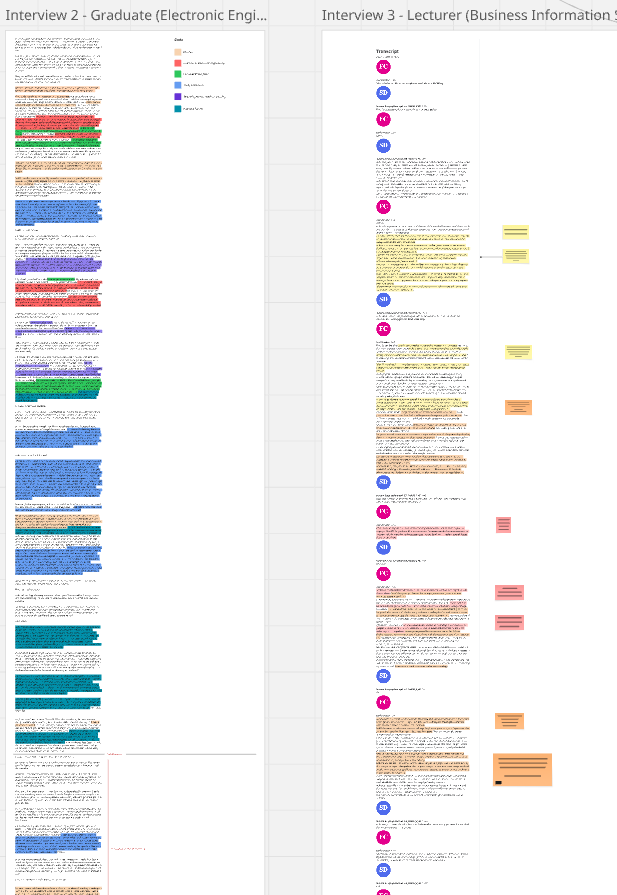
Lecturer Interviews
When discussing student study habits, lecturers observed that undergraduates tended to rely heavily on lecture notes and online resources, whereas postgraduate students were more self-directed and independent in their approach. Lecturers highlighted that resistance to new tools is common among both staff and students, particularly when the value of the technology has not yet been demonstrated in practice. In terms of AR’s potential, lecturers saw clear opportunities in helping students visualize abstract or technical content such as code, Internet of Things (IoT) systems, or business data. They also noted that AR could support immersive learning experiences, such as exhibits or virtual site visits, that would otherwise be difficult to access.
Additionally, AR was seen as holding strong potential to improve accessibility when combined with existing technologies such as mobile devices or AI systems. For design and implementation, lecturers emphasized that AR should be introduced gradually, allowing time for both students and staff to adapt. Accessibility, remote usability, and clear instructional guidance were identified as essential enablers of successful adoption. Several participants pointed out that AR in education still lacks its “killer app” breakthrough use case that would make the technology indispensable in higher education.
Student Interviews
Most students reported a strong reliance on digital tools such as YouTube tutorials, creative software, and increasingly AI-based assistance. Despite this digital focus, students still depended on labs, personal notes, and peer feedback to consolidate their learning. A recurring challenge was the lack of visual resources. Students often had to rely on imagination to bridge gaps between abstract concepts and practical applications, which they felt could cause confusion, particularly under time pressure.
When asked about AR, students identified strong potential in several areas, such as: simulating lab environments safely, visualizing abstract or invisible concepts (programming logic or electronic circuits), and making complex systems more accessible. Importantly, students did not view AR as a replacement for traditional study practices such as note-taking and reading. Instead, they expressed openness to AR as a complement, provided that it integrates seamlessly into existing study habits. Customization and clear visuals were highlighted as essential requirements for adoption.
Part C: Research Synthesis
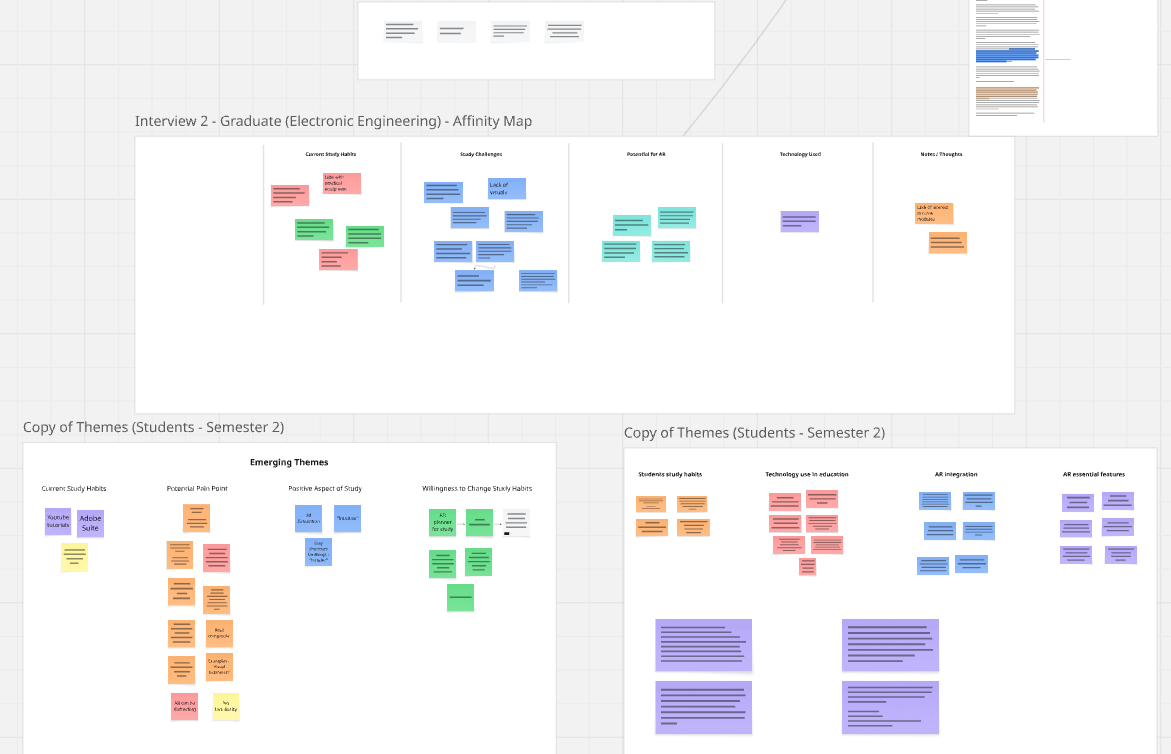
The literature and interview findings reveal a clear pattern: students and lecturers are open to AR in education, but only when it directly supports learning, reduces ambiguity, and fits naturally into existing study routines. Both groups recognised AR’s strength in visualising abstract or invisible concepts, while also warning that poor usability, high cognitive load, or unclear guidance could undermine its value. Across all perspectives, AR was viewed not as a replacement for traditional tools, but as a complementary layer—something that adds clarity where current resources fall short. Synthesising these insights highlighted several design requirements that would guide the direction of an AR prototype for futher user testing and insights.
1. Reduce Cognitive Load Through Simple, Intuitive Interactions
Students already juggle multiple tools and time pressures. AR must feel lightweight, easy to launch, and immediately understandable. Both literature and interviews emphasised the risk of overwhelming learners if the interface is unnecessarily complex.
2. Provide Clear Visual Guidance and Instructional Structure
Since students use AR independently, without an instructor present, visual clarity, step-by-step cues, and consistent guidance are essential. Lecturers stressed that unclear instruction is one of the main barriers to adopting new tools.
3. Focus on Visualising Abstract or Hard-to-Imagine Concepts
Both students and lecturers identified AR’s strongest value: helping learners see processes, relationships, or structures that cannot be easily understood from text or flat diagrams. This directly informed the choice of subject matter for the prototype.
4. Integrate Seamlessly Into Existing Study Habits
Students rely on tutorials, notes, and peer feedback. AR must enhance, not disrupt, these established routines. The design must respect the workflow students already use rather than forcing a new one.
5. Support Accessibility and Remote Use
Lecturers noted that AR has strong potential when paired with mobile devices and remote learning environments. The design must therefore be accessible across common devices and usable without specialised equipment.
6. Allow Customisation and User Control
Students expressed the need to zoom, rotate, isolate elements, and explore at their own pace. This autonomy aligns with self-directed learning principles and improves clarity.
SECTION 3: Prototypes & Experimental Setup
1. Purpose of the Prototypes
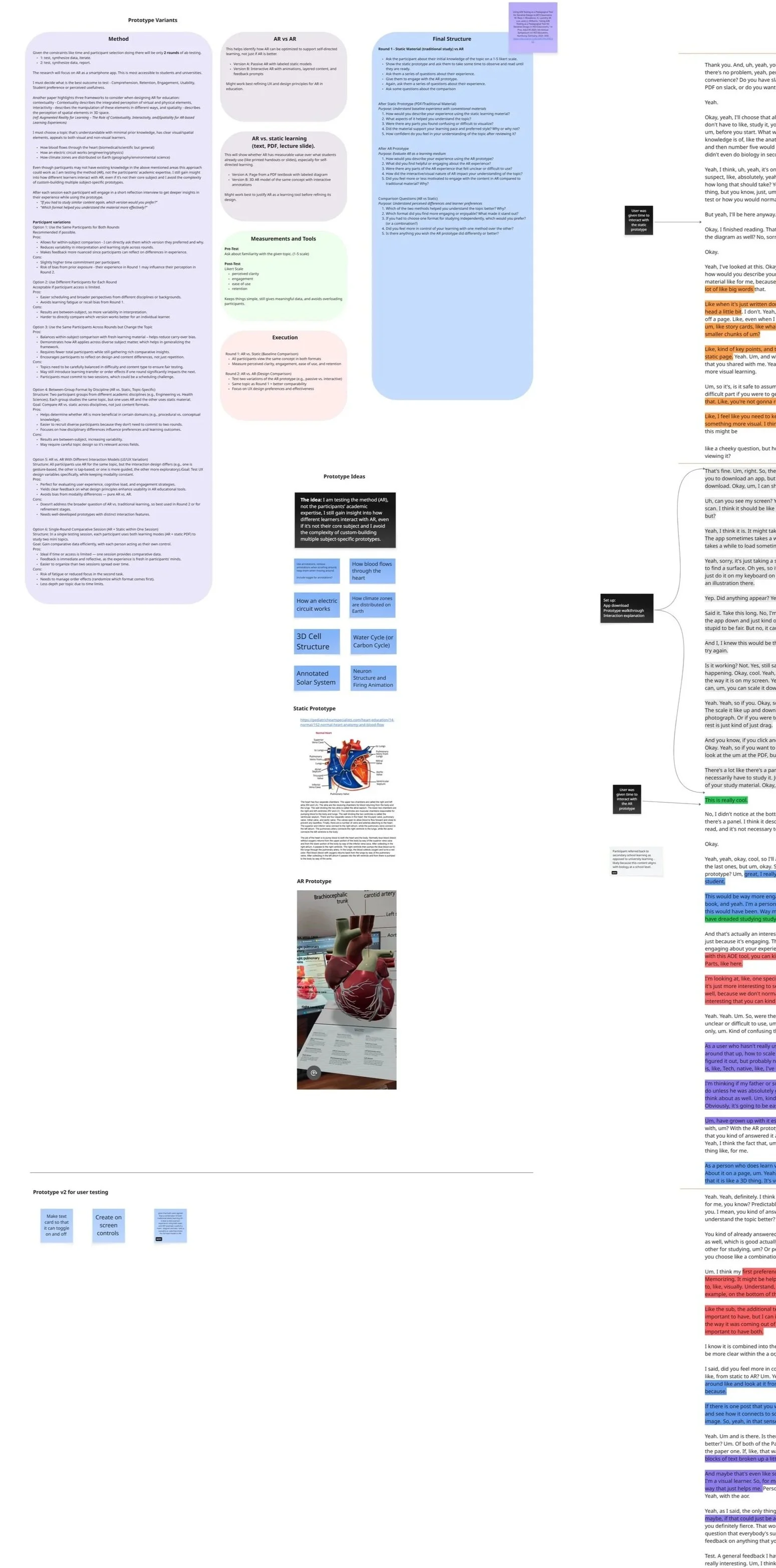
To evaluate how AR might support self-directed learning, the study compared two different types of learning material: a static diagram (representing traditional study formats) and a mobile AR visualisation (representing interactive, spatial learning). The human heart was selected as the test content because it involves complex, dynamic structures that are difficult to interpret through text or static imagery alone.
Importantly, none of the participants came from a biology background, meaning the heart model represented an unfamiliar topic for all of them. This ensured that no participant carried prior subject knowledge into the testing, reducing bias and enabling a more controlled comparison of how each prototype supported first-time learning.
2. Prototype A — Static Diagram (Baseline)
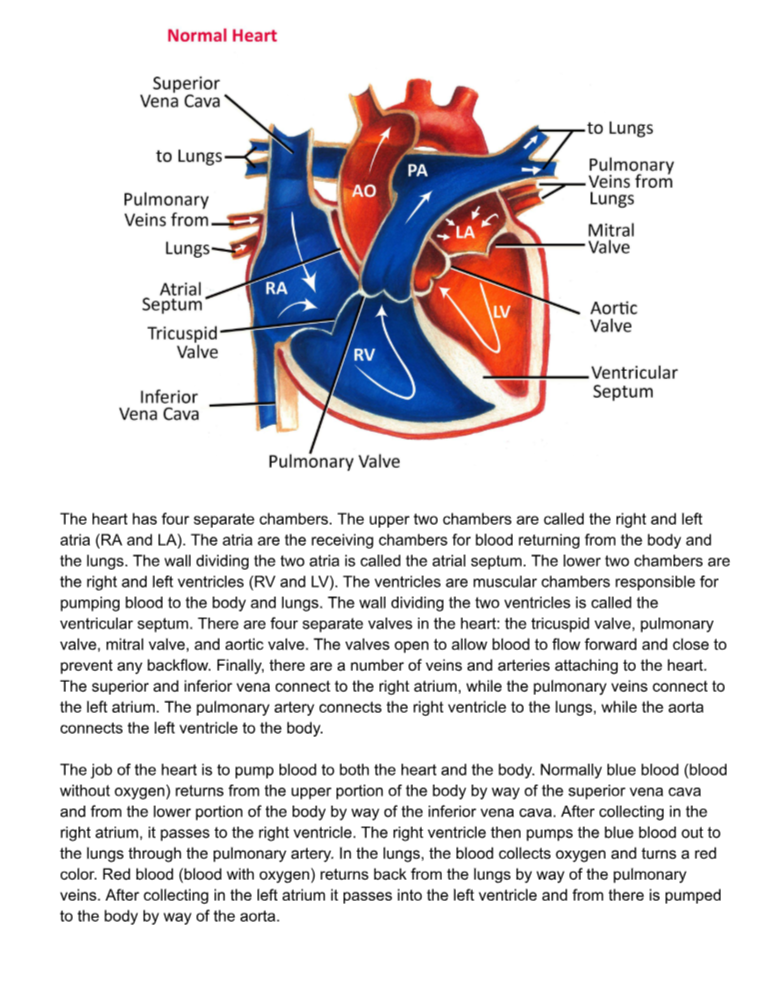
The baseline prototype was a PDF combining a labelled heart diagram with explanatory text. This format mirrors what students typically rely on during independent study, such as lecture notes, textbooks, and online diagrams. It served as the control condition to benchmark clarity and understanding using conventional, non-interactive materials.
3. Prototype B — AR Heart Model (Initial Version)
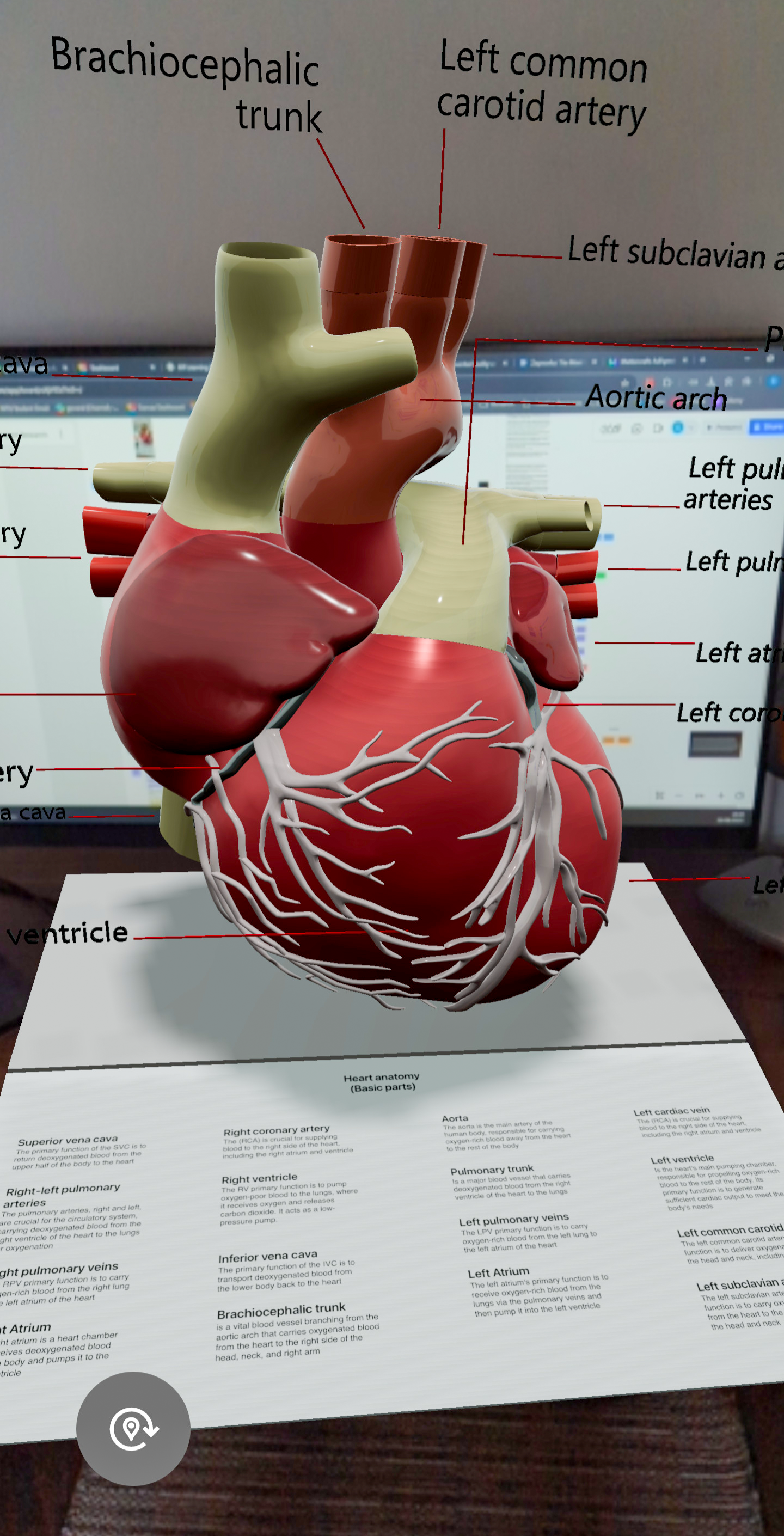
The AR prototype was created in Mattercraft and deployed through Zapworks. It featured a 3D anatomical model of the heart with a blood-flow pathways. Students could rotate, zoom, and inspect the model from multiple angles. The prototype was intentionally minimal to focus the study on usability, clarity, and interaction, rather than on graphic fidelity.
4. Iteration Between Rounds
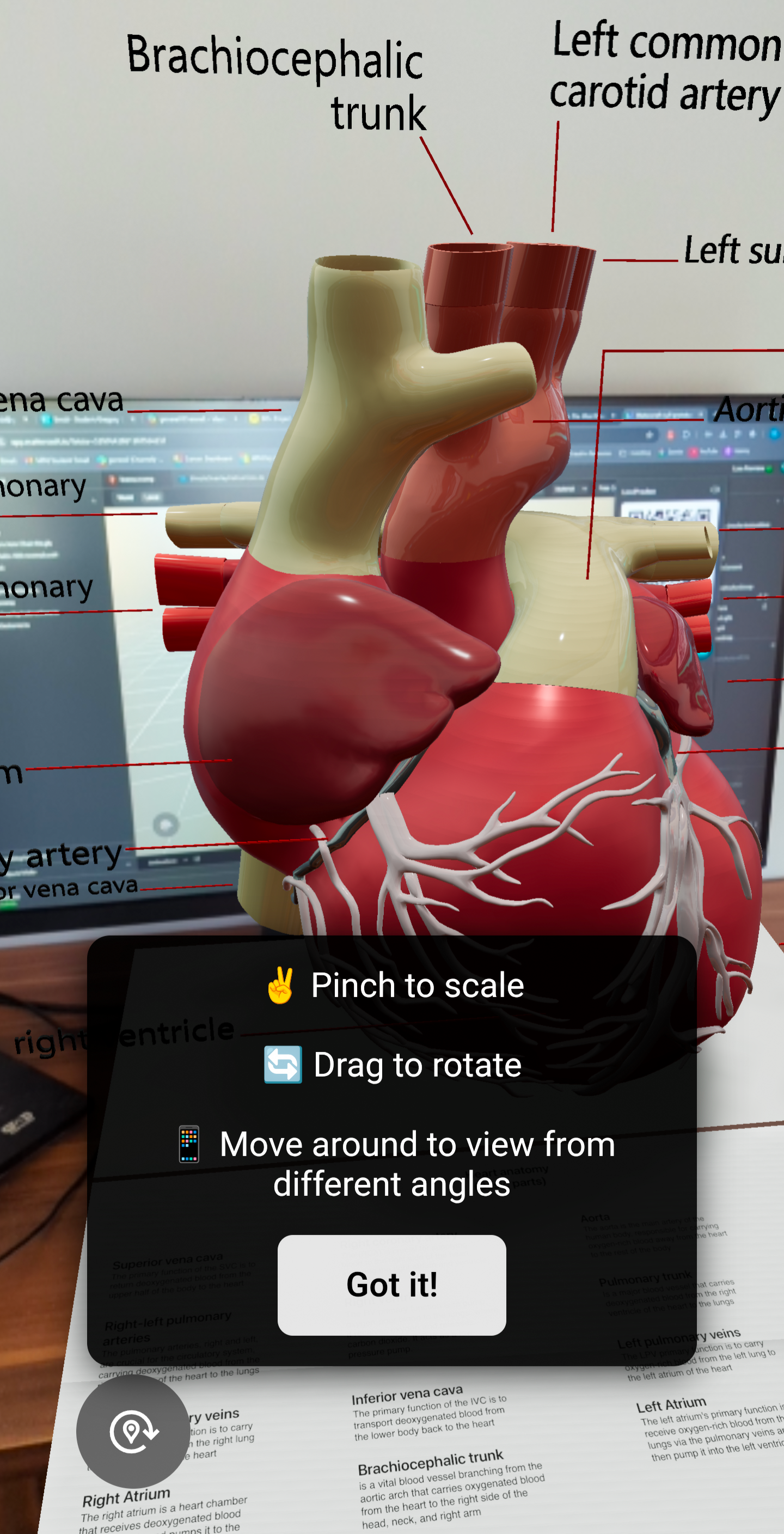
Post-test feedback from Round 1 revealed consistent usability challenges. Several students were unsure how to manipulate the AR model, indicating that basic interactions (rotation, zooming, repositioning) were not intuitive without explicit cues. Based on this feedback, the Round 2 version included lightweight on-screen prompts (“Pinch to zoom,” “Drag to rotate”) and a simple dismiss button. This enabled testing whether small onboarding cues could reduce friction and increase user confidence when interacting with the AR model.
5. Testing Conditions & Flow
The testing followed a two-round A/B structure. In each session, participants first engaged with the static prototype and then with the AR prototype, ensuring consistency across comparisons. Sessions used a think-aloud approach, observation, and short post-test questions to gather feedback on clarity, ease of use, and perceived learning support. Round 1 evaluated the baseline prototypes; Round 2 assessed the impact of the guided AR version. A thematic analysis was conducted on the post-test short interviews. This setup made it possible to isolate the effects of AR interaction design on perceived usability and conceptual understanding.
Part A: A/B Testing Overview
Part B: Closer look at the testing prototypes
Static Prototype
A 2D PDF diagram of the human heart with supporting text, representing the type of static visual material students typically use during self-directed study.
AR Prototype (3D Model)
A mobile AR experience showing a 3D heart model viewed on a phone, allowing students to rotate, zoom, and explore the structure through interactive gestures.
SECTION 4 — A/B Testing & User Testing Results
Round 1 — Baseline A/B Test (Static vs AR)
Static
AR
What Was Tested
Participants compared:
Static Prototype: a PDF diagram of the human heart.
AR Prototype (V1): a 3D mobile AR heart model without any interaction guidance.
What Happened
1. AR was more engaging but not more efficient
Students consistently described the AR model as more immersive and “closer to reality.” However, they still relied on traditional methods like reading, notes, and diagrams for memorisation and structure.
2. Students struggled with basic AR interactions
Several participants had difficulty:
rotating the heart
scaling it
knowing what gestures were available
understanding how to reposition it
3. Mobile delivery was appreciated but onboarding felt clunky
Students liked that AR worked on their phones.
But the setup (QR codes - app download - surface placement) caused confusion.
They requested clearer onboarding feedback.
Round 1 Takeaways
AR - high engagement, low usability
Static - low engagement, high ease of use
AR helped with spatial understanding, but only when users could control it
Students preferred hybrid learning: AR + diagrams + notes
Lack of interaction prompts caused avoidable cognitive load
Round 1 directly informed updates for Round 2.
Round 2 — Improved AR Prototype (With Instructions)
Simple gesture prompts (rotate, scale, move) were added from Round 1 user feedback.
AR
What Changed
To address Round 1 issues, you updated the AR prototype with:
simple gesture prompts (rotate, scale, move)
a short instruction overlay
a dismiss option to avoid interrupting workflow
What Happened
1. Usability improved significantly
Students immediately understood how to interact with the model.
No one struggled with basic controls.
2. Frustration disappeared
The guidance reduced cognitive friction — attention shifted to learning, not tool navigation.
3. AR was now perceived as genuinely useful
Participants reported:
more confidence
smoother exploration
faster understanding of spatial features like blood flow
an improved overall experience
Round 2 Takeaways
Instructional prompts dramatically improved interaction
AR became intuitive rather than overwhelming
Students preferred the guided version over the original by a wide margin
AR’s value increased once usability barriers were removed
SECTION 5 — Reflection & Next Steps
Reflection
This project was an exploratory investigation into how augmented reality can support self-directed learning at university level. Working across scientific literature, interviews, and iterative A/B testing revealed a consistent pattern: AR can enhance engagement and spatial understanding, but only when paired with traditional study practices like reading, note-taking, and structured diagrams. The study reinforced how essential clear onboarding and interaction cues are in AR experiences, early usability issues showed that without guidance, cognitive load spikes and students hesitate to explore.
This process also highlighted how hybrid learning habits shape the adoption of new tools. Students naturally combine static and interactive resources, and AR is most valuable when it fills visualization gaps rather than attempting to replace familiar methods. From a design perspective, this strengthened my understanding of how educational tools must align with existing workflows to create genuine value.
AR Design Principles Emerging From the Research
These lightweight, actionable principles can guide future AR learning tools.
Accessibility First: AR should be mobile-optimized and lightweight, minimizing hardware barriers and supporting study in everyday environments.
Clear Interaction Cues: Students need visual onboarding (gestures, tooltips, micro prompts) to prevent confusion and reduce cognitive load.
Hybrid Integration: AR works best when layered onto traditional study practices (QR-linked models), not positioned as a replacement.
Scaffolded Complexity: Begin with simple structures and progressively reveal detail to avoid overwhelming learners.
Contextual Relevance: AR should connect concepts to real-world scenarios to strengthen motivation and transfer of learning.
Gradual Adoption: Modular, flexible AR features help students and lecturers adopt the technology at their own pace.
Limitations
The study remained small in scale, limited to a narrow group of students and lecturers and focused on a single discipline (biology). The prototypes were intentionally simple, designed to test feasibility rather than advanced UX features. Participant enthusiasm may have been influenced by the novelty of AR, and short-term testing did not capture long-term changes in study habits.
Importantly, lecturer interviews made it clear that universities tend to adopt new technologies cautiously. AR tools will only gain real institutional support once their benefits are demonstrated clearly, consistently, and with discipline-specific evidence. This reinforces the exploratory nature of the project and the need for ongoing iteration before AR could be deployed at scale.
Next Steps
Future work should involve larger and more diverse participant groups across different disciplines to understand subject-specific needs and improve generalizability. More advanced prototypes could introduce adaptive feedback, multimodal support, and customizable interaction modes to match different learning preferences. Longitudinal studies would help assess whether early engagement leads to sustained improvements in learning outcomes.
A further direction involves exploring how AR can integrate directly with existing university ecosystems, LMS platforms, digital handouts, or AI-based study tools, to reduce onboarding friction and support smoother adoption. Ultimately, these steps would help move toward a robust, evidence-based framework for AR in self-directed learning that institutions can confidently adopt.
Research & Supporting Documents
If you’d like to explore the full research behind this project, all documents are available below.